Google Business Profile Rules (October 2026): Can You Get One Without a Real Address?
Short on time? Get the summary
- ChatGPT (opens in a new tab)
- Claude (opens in a new tab)
- Perplexity (opens in a new tab)
- Google AI (opens in a new tab)
- Grok (opens in a new tab)
Or open it in your favorite AI tool, with the prompt already written.
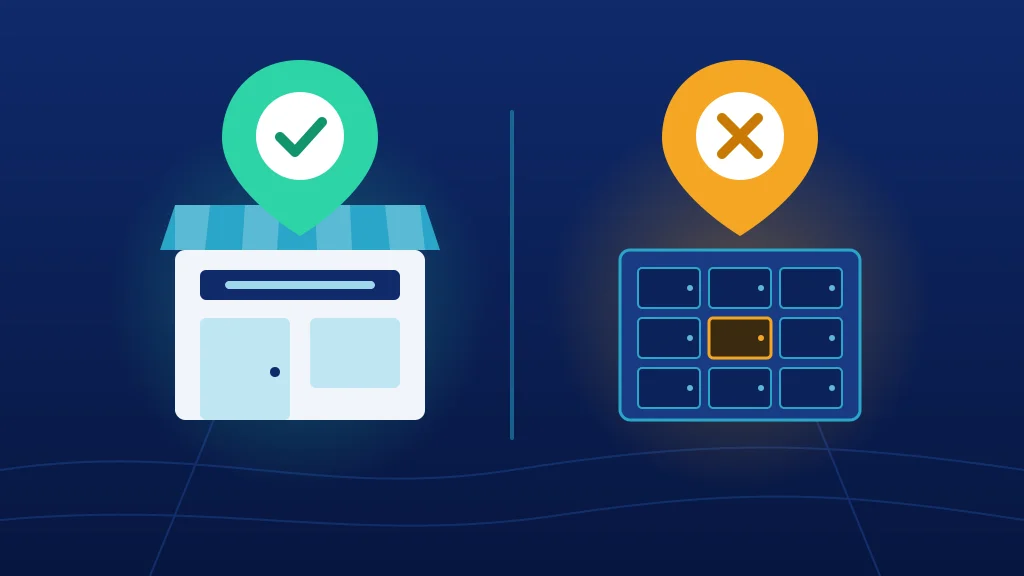
Short answer: Google doesn't start with your address. It starts with whether you meet customers in person. A P.O. box, a UPS Store mailbox or a mail-only virtual office won't get you a Google Business Profile. Neither will a real street address if no customer ever meets you there.
Here's how I ended up writing this. A few days ago I was swapping SEO stories with a sharp business consultant I'd just met. Somewhere in the middle, Google Business Profile came up. Her business couldn't get one because of its address.
I nodded along. I've been doing SEO for five years. I know the rules.
Then I hung up and thought, wait. When's the last time I actually read Google's rules? Google updates this stuff all the time, and "I'm pretty sure" isn't good enough when somebody's business is on the line. So I went back to Google's own Google Business Profile rules, read them line by line, and looked at what's actually happening to businesses that bend them.
Here's what's true as of October 2026, in plain English.
Think of Google as the friend who says "I know a guy"
When somebody asks a friend for a good plumber, the friend vouches for someone they've actually seen do the work. That's what a Google Business Profile is. Google is putting a pin on the map and telling people, "This is a real business. Real customers meet them here."
So Google won't vouch for a mailbox. Not because it's being difficult. It just can't say "I know a guy" about a guy it's never seen.
The one rule that decides everything
Google's eligibility rule comes down to one sentence: to qualify for a Business Profile, a business has to make in-person contact with customers during its stated hours.1
Everything else comes back to that one test: the address, the verification, the service area. There are two ways to pass it:
- Customers come to you. A clinic, office, shop or showroom with your name on it. Google calls this a storefront business.
- You go to customers. A plumber, a locksmith, a cleaning crew. Google calls this a service-area business.
Some businesses do both, and Google calls those hybrids.2 Google also makes a few narrow exceptions, like ATMs, seasonal businesses with year-round signage and some delivery-only food brands.1
If your business doesn't do either one, no address trick fixes that. I want every business owner to hear this part first, because it saves a lot of wasted time.
Who Google says isn't eligible
Google publishes a list of businesses that don't qualify. As of October 2026, it includes:1
- Rental or for-sale properties, like vacation homes or model homes (a sales or leasing office is fine).
- An ongoing class, service or meeting held at a location you don't own or can't represent.
- Lead generation agents or companies.
- Brands, organizations, artists and other online-only businesses.
- Age-restricted businesses (alcohol, cannabis, weapons) that have no storefront and only serve customers at their locations.
- Any business whose address is a P.O. box or a mailbox in a remote location.
Two of these catch good businesses off guard.
"Online-only" covers a lot of consultants, coaches, agencies and e-commerce brands. If every client meeting happens on Zoom, Google doesn't see a local business to put on the map.
"Lead generation" covers more than spammy call centers. If your business mainly connects customers to someone else who delivers the actual service (a referral network, a matching service, a "we'll find you a provider" model), Google may see you as the middleman. Google's guidelines also say lead generation agents for corporations don't qualify as individual practitioners.2 The provider who meets the customer is the one with the profile.
P.O. boxes, UPS Store mailboxes and virtual offices
This is where most of the confusion lives, so here's every common setup side by side.2
| Address type | Eligible? | Why |
|---|---|---|
| P.O. box | No | Google says P.O. boxes and remote mailboxes aren't acceptable. |
| UPS Store or private mailbox | No | It's still a mailbox, even with a street address and a "suite" number. |
| Virtual office (mail and phone only) | No | Renting a mailing address you don't operate from isn't eligible. |
| Virtual office, staffed during your hours | Sometimes | A service-area business can list it only if it's staffed during business hours. |
| Coworking space | Sometimes | Only with clear signage, customers received there and your own staff there during business hours. |
| Your home | Yes, hidden | A service-area business can run from home and hide the address. |
| A real office or clinic you work from | Yes | As long as customers come there, or you serve them from there, with permanent signage if the address shows. |
Let's talk about the UPS Store trick for a second. A mailbox address can look exactly like a suite in an office building. People figure Google can't tell the difference. But Google's rule covers mailboxes, not just P.O. boxes, and competitors report listings to Google all the time.3 Even if a mailbox listing slips through at first, it's one spam report away from a suspension.
Service-area businesses: hiding your address isn't skipping it
This is the one I hear wrong the most. People think "service-area business" means "business with no address." It doesn't.
A service-area business still has a real address behind the scenes. Google just tells you to hide it from the public. Google wants one profile for your central office or location, with a service area drawn around it.2
A few rules that matter:2
- One profile, not one per city. You don't get a separate profile for every town you serve.
- About two hours of driving. Google says your service area generally shouldn't reach farther than about two hours from where your business is based, though larger areas can make sense for some businesses.
- No mail-only virtual offices. A service-area business can't list a virtual office unless it's staffed during business hours.
- New locations need real teams. If you have separate locations with their own service areas and their own staff, each one can have its own profile.
That last one matters if you're growing into a new state. You can't stretch one profile across the country. A new market usually means a new real location, with real people in it, before it means a new profile.
What Google checks: the verification video
Google can ask you to verify your business with a video, and the requirements are strict.4 The video has to be recorded live on your phone, inside the Business Profile app, in one unedited take of at least 30 seconds.
What you have to show depends on your business type:4
- Storefront or hybrid: where you are (street signs, building numbers, nearby businesses), your storefront or permanent signage with your business name, and something only an employee could access, like a register, a storage room or a kitchen.
- Service-area business: where you operate (street signs and nearby landmarks), the tools or equipment you use for the work, and proof you manage the business.
And this is exactly where mailbox setups fall apart. You can't film your sign, your back room or your workspace at a UPS Store counter, because none of it is yours.
What it costs when you bend the rules
This is why I don't play "let's try it and see" with Google. You can lose a lot more than a rejected application. You can lose everything you've already built.
Reviews don't always come back. Google's own help page on missing reviews now says reviews may be removed when a suspended profile is reinstated.5 Owners report mixed luck getting them restored. And five years of five-star reviews are about the hardest thing in local marketing to rebuild.
Real businesses have lived this. One web design firm had its profile disabled without warning in the fall of 2024. When it came back, Google had merged it with a different company's listing, and its 69 five-star reviews were gone, replaced by three reviews from that other company.6
Another agency shared the story of an attorney with eight years of top local rankings, on search terms where ads cost $200 to $400 a click. Someone kept falsely reporting the listing as spam. One suspension lasted more than 30 days. When it came back, it got 16% or less of its old impressions and clicks for months, until the firm filed a lawsuit and subpoenaed Google to find out who was behind the reports.3
That attorney's listing was legit and still got hurt. Now picture a report against your listing that's actually true. If your address really is a mailbox, there's nothing to appeal.
Changing your address can trigger it, too. Local SEO firm Sterling Sky lists "too many edits at once" as a common trigger. Changing your address, name, categories, phone and website in a short window can look like a hijacked listing.7
Don't make a new profile to "start fresh." Google allows one profile per business.2 A duplicate just risks another suspension, and you walk away from every review and photo you had.7
Quick self-check: can your business get a Google Business Profile?
Answer these honestly. It takes about two minutes.
- Do customers come to a place with your name on it during posted hours? Then you're a storefront business and you likely qualify.
- Do you or your team travel to customers? Then you're a service-area business. You likely qualify, but you still need a real, non-mailbox address behind the scenes.
- Is your only address a P.O. box, private mailbox or mail-only virtual office? Then you don't qualify as you're set up today.
- Does someone else deliver the service while you connect the customer? Then Google may see you as lead generation. The provider is usually the one who qualifies, not the connector.
- Could you film one continuous video there showing your sign or your tools, plus proof that you run the business? If not, you're not ready to verify yet.
If you said yes to 1 or 2 and can do 5, you're in good shape. If you landed on 3 or 4, keep reading. You still have good options.
Here's what I would do
You don't need an agency for any of this. Here's the order I'd go in:
- Read Google's two rule pages yourself. They're short, and they're linked at the bottom of this post. Ten minutes there beats ten hours of forum advice.
- Be honest about your bucket. Storefront, service-area, hybrid or not eligible. Everything else depends on that answer.
- If you have a real space but no sign, fix that first. Get permanent signage up before you start verification, because the video has to show it.
- If you're a service-area business using a mailbox, switch to a real address. Your home (hidden from the public) or an office you actually work from that's staffed during your hours.
- If you already have a profile, change one thing at a time. Don't update your address, name, phone and categories in one sitting.
- If you're suspended, appeal. Don't start over. Gather proof first: photos of your sign and workspace, your business license, documents with your business name and address on them.6
- If you don't qualify, don't fake it. Put that energy into your website, directory listings, reviews on other platforms and showing up in AI answers. I'm covering exactly how in my next post.
Look, loopholes feel like a win right up until they don't. Build something Google never has a reason to question, and you never have to worry about it.
Radical transparency: what we do
You knew it was coming, so I'll keep it short and honest.
Getting found locally is a big part of what we do in our SEO plans: Google Business Profile setup and cleanup, directory listings, reviews and the website work behind them. If your business qualifies for a profile, we'll help you get it right the first time and keep it healthy.
Now the honest part. We can't get you a Google Business Profile if Google's rules say you don't qualify, and we won't try to sneak one through. A listing built on a workaround puts everything you've built at risk, including your reviews. If you're not eligible, we'll tell you straight and put the effort where it'll actually pay off.
The bottom line
Think of your Google Business Profile as Google vouching for you. Google is telling people that a real business meets real customers in a real place. Get that part right, and the address, the verification and the service area all fall into place.
Here's your homework, and it takes ten minutes: run through the self-check above, then read Google's eligibility page with your own business in mind. If you want a second set of eyes, grab a free Online Visibility Review from the button at the top of this page, or see what better visibility could be worth with our free SEO ROI calculator. There are more free tools here too, and if Maps is your thing, read what actually moves Google Maps rankings.
A profile built on a mailbox might work for a while. The one built on the truth is still standing in five years. Be kind to your future business.
Footnotes
-
Google Business Profile Help, "Business eligibility and ownership guidelines", checked October 25, 2026. ↩ ↩2 ↩3
-
Google Business Profile Help, "Guidelines for representing your business on Google", checked October 25, 2026. ↩ ↩2 ↩3 ↩4 ↩5 ↩6
-
39 Celsius, "How a lawsuit and subpoena to Google restored 8 years of local SEO effort", updated November 2023. ↩ ↩2
-
Google Business Profile Help, "Verify your business with a video", checked October 25, 2026. ↩ ↩2
-
PinMeTo, "Reinstated Google Business Profiles can lose reviews", August 27, 2026. ↩
-
Design Powers, "Google disabled my business profile. Now what?". ↩ ↩2
-
Style Strand Media, "Google Business Profile suspended? How to get reinstated without making it worse", October 2026 (summarizing Sterling Sky's September 2026 analysis). ↩ ↩2
Pass it on
Know someone who needs this?
Send it to one business owner who’s been wrestling with this. The message is already written. It takes five seconds, and it might save them months.
Or share it on social
A caption, ready to paste
Google Business Profile Rules (October 2026): Can You Get One Without a Real Address? A P.O. box, a UPS Store mailbox or a mail-only virtual office won't get you on Google Maps. Here's what Google actually checks, what breaking the rules costs, and what to do instead. Worth the read 👇 https://jds1marketing.com/google-business-profile-rules/
Tip: on LinkedIn, add one sentence of your own take above it. That’s what starts the conversation.
Keep reading
The PHP Vulnerability That Knocked Websites Offline This Week: Is Yours Secure?
Two critical PHP flaws sent governments, police and a major hospital offline this week. Here's what happened in plain English, and how to tell if your website is safe.
Can AI Build a Website? Yes. Here's Why My Clients Still Pay $6,500
AI can build you a website that looks done in ten minutes. Here's what's missing underneath, and the checklist I'd use if I were building my own.