ChatGPT Business Profile: All You Need to Know (and How to Claim Yours)
Short on time? Get the summary
- ChatGPT (opens in a new tab)
- Claude (opens in a new tab)
- Perplexity (opens in a new tab)
- Google AI (opens in a new tab)
- Grok (opens in a new tab)
Or open it in your favorite AI tool, with the prompt already written.
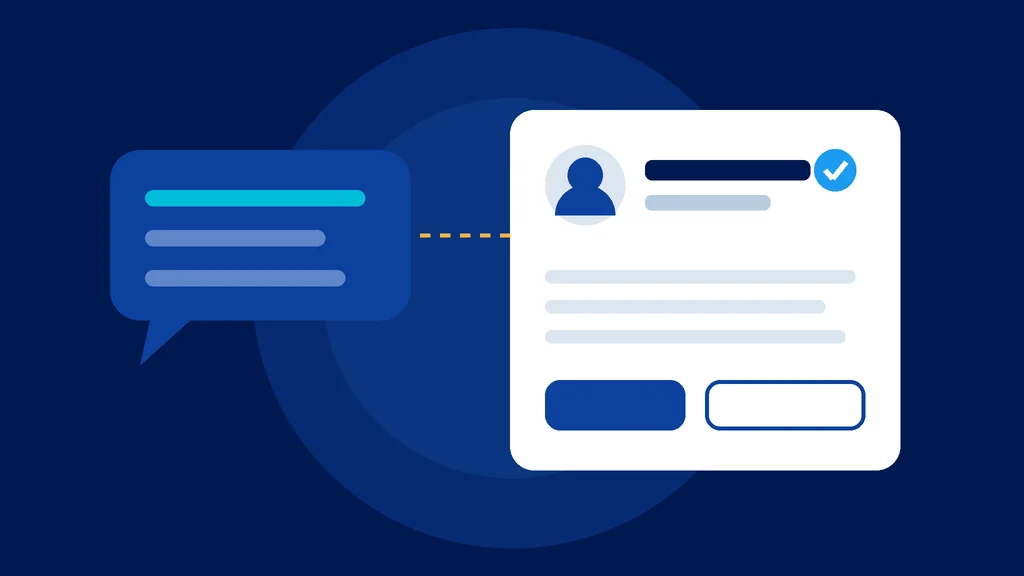
Remember when someone first told you, "Hey, you need to claim your Google listing"? Most owners shrugged. A few years later, that listing was where half their phone calls came from.
That moment just happened again. On November 10, OpenAI opened up the ChatGPT business profile: a page inside ChatGPT for your business that you can now claim, verify and fix.1 It's in beta, it's free to claim as far as OpenAI's pages say, and most of your competitors haven't heard of it yet.
Here's the thing a lot of owners miss. ChatGPT is already talking about businesses. Customers are already asking it, "Who's the best roofer near me?" or "What's a good med spa in my town?" Claiming your profile doesn't put you in that conversation. It lets you make sure what ChatGPT says about you is right.
So let's walk through what it is, what you get, what it doesn't do (that part matters), and what I'd do this week.
Prefer the quick version first? I broke it down on Instagram here and here. (Want the 60-second version first? Here's the quick post we shared on Instagram.)
What is a ChatGPT business profile?
Think of it like the sign in your front yard. ChatGPT already hung one up with your name on it, built from whatever it found online. Maybe it's right. Maybe it has your old phone number or a service you stopped offering three years ago. Claiming your profile is walking outside and fixing the sign yourself.
OpenAI calls the program Businesses in ChatGPT, and you manage it from a dashboard called Business Hub at chatgpt.com/business-hub.1 2 When your business shows up in a ChatGPT answer, a person can tap into your profile to see your details and a button to visit your website.1
Once you're verified, you get a blue check mark that shows the profile is managed by the actual business.1 3
How it compares to your Google Business Profile
If you've set up a Google Business Profile, this will feel familiar. Here's the side by side:
| Google Business Profile | ChatGPT business profile | |
|---|---|---|
| Where people see it | Google Search and Maps | Inside ChatGPT answers |
| How you prove it's yours | Phone, text, email, video, live call or postcard | A call or text to your main business number, or a DNS record on your website, then a government ID1 |
| What it shows you | Views, calls, direction requests | Mentions, profile views, website clicks and common topics1 |
| Paid option | Google Ads | Sponsored placements through ChatGPT Ads (some businesses only)1 |
| Age | Years old, very mature | One day old, in beta |
That last row is the honest one. Google's version has had years to work out the kinks. ChatGPT's is brand new, and some businesses were put on a waitlist on day one.1
What you actually get
Three things, in plain English.
1. Control of your information. Once verified, you can update your website, description, products and services.2 Stores can add product feeds with prices and stock.1
2. A scoreboard you've never had. This is the big one for me. Until now, nobody could tell you how often ChatGPT mentioned your business. Analytics tools mostly can't see it either. Business Hub now shows how many times ChatGPT mentioned you, how many people viewed your profile, how many clicked to your website, and the topics those conversations were about, over the last 7 or 28 days.1
3. A chat agent (only for some businesses, for now). Online stores and online service businesses in the US can build a "Business Agent," a chat assistant that answers customer questions using your own information.1 3 If you're a contractor, a chiropractor or a law firm, that part isn't open to you yet. The profile is.
What it doesn't do (read this part)
I'd rather you hear this from me than find out later.
- Claiming it doesn't make ChatGPT recommend you more. OpenAI has not promised a ranking boost for claimed profiles.4 Your info can help ChatGPT match you to the right questions, but it's not a "get recommended" button.
- Paying doesn't change it either. OpenAI says paying for ads doesn't change how often ChatGPT recommends a business.3
- You won't see what people typed. OpenAI says it doesn't share users' conversations with businesses. You get counts and topics, not the actual questions.1
- Small businesses may see dashes at first. Numbers only show up once there are enough conversations to meet OpenAI's thresholds, and OpenAI hasn't said what those are.1
- A click isn't a customer. OpenAI's own note on the clicks number says clicks don't confirm website visits or conversions.1
That early dashboard in the stats box is a good reality check: 690 mentions turned into 24 clicks.1 One business, one month, but it tells you something important. People are hearing your name inside ChatGPT, then deciding whether to go look you up. What they find when they do is your website and your reviews.
Why this matters for your business
Here's the simple version. People are changing where they ask. According to BrightLocal, 45% of consumers now use ChatGPT and other AI tools for local recommendations, up from 6% the year before.5 That's not a slow trend. That's a light switch.
And when ChatGPT answers a local question, it leans on your website more than anything else. In BrightLocal's study, 58% of the sources ChatGPT showed for local searches were business websites.6
So think of it like your body. The profile is the name tag. Your website, your reviews and your listings across the web are the muscle. A name tag helps people know who you are. It doesn't do the heavy lifting.
That's why I'm excited about this, and why I'm not telling you it's magic. It's the first time OpenAI has given business owners a way to fix their info and see real numbers. It's also a sign of where things are going. OpenAI says this is an early step and plans to open it to more markets and business types.1
Here's what I would do this week
Thirty minutes, tops. Here's my checklist if I were in your shoes:
- Ask ChatGPT about yourself first. Type your business name and town. Then ask what a customer would ask: "Who's the best [your service] in [your town]?" Screenshot what it says. That's your "before."
- Go claim it. Head to chatgpt.com/business-hub, search for your business and pick your listing (or create one). You need to be the owner or someone authorized to represent the business.1
- Pick the easy verification. If your main business number reaches you, use the call or text option. If it rings to a call center, ask your web person to add the DNS record instead. Have your driver's license handy, because Business Hub asks for a government ID before you can edit anything.1
- Make your details match everywhere. Your name, phone, address and website should read exactly the same as your Google Business Profile and your website. Same suite number, same spelling.
- Write your description like you talk. Say what you do, who you do it for, and the towns you serve. "Family-owned roofing company serving Cherry Hill, Haddonfield and Moorestown" beats "premier solutions provider."
- Start asking "How did you hear about us?" And when someone says ChatGPT, write it down. Your analytics probably won't catch it. A simple tally will.
- Check your dashboard once a month. Look at mentions, clicks and the topics. If a topic shows up that you don't have a page for on your website, that's your next page.
Then work on the muscle: your website, your reviews and your listings. I wrote more about that in how to get found without a Google Business Profile and how to earn citations in AI answers.
Radical transparency: here's where we come in
You knew it was coming, so here it is, short and honest.
Claiming your profile is something you can do yourself today, for free. Please do. What we do at JDS1 Marketing is the part a profile can't: building the website ChatGPT reads first, getting you reviews, and keeping your listings consistent so AI tools trust what they find. That's what our SEO & AI search plans and High-Performance Websites are built for.
And the honest limit: nobody can promise ChatGPT will recommend you. Not us, not anyone selling "AI rankings." OpenAI doesn't publish how it picks businesses. What we can do is make sure that when ChatGPT (or a customer) goes looking, everything it finds about you is strong, accurate and points to you.
If you're a dentist, the same goes for your practice. Our dental team over at Dental SEO Pros handles that side.
Curious what showing up more could be worth? Plug your numbers into our free SEO ROI calculator. Or book a call and we'll look at what ChatGPT says about your business together.
The bottom line
Fifteen-plus years ago, the owners who claimed their Google listing early got a head start that lasted for years. This is that moment for AI. It's new, it's imperfect, and it costs you nothing but a few minutes.
So here's your homework: ask ChatGPT about your business today, then claim your profile before your competitor does. Be kind to your future business.
Footnotes
-
PPC Land, "Businesses gain ChatGPT click and mention counts in OpenAI's Business Hub", November 11, 2026 (quotes OpenAI's announcement and Business Hub screens). ↩ ↩2 ↩3 ↩4 ↩5 ↩6 ↩7 ↩8 ↩9 ↩10 ↩11 ↩12 ↩13 ↩14 ↩15 ↩16 ↩17 ↩18
-
Gulf News, "ChatGPT takes on Google with new business profiles", November 2026. ↩ ↩2
-
The Next Web, "OpenAI lets businesses claim ChatGPT profiles and launch their own agents", November 10, 2026. ↩ ↩2 ↩3
-
ContentGrip, "OpenAI gives brands ChatGPT profiles and business agents", November 2026. ↩
-
BrightLocal, "Local Consumer Review Survey 2026", February 2026. ↩
-
BrightLocal, "Uncovering ChatGPT Search Sources", December 2024. ↩
Pass it on
Know someone who needs this?
Send it to one business owner who’s been wrestling with this. The message is already written. It takes five seconds, and it might save them months.
Or share it on social
A caption, ready to paste
ChatGPT Business Profile: All You Need to Know (and How to Claim Yours) ChatGPT now has business profiles you can claim, like Google Business Profile did years ago. Here's what it is, what it really does, and what I'd do this week. Worth the read 👇 https://jds1marketing.com/chatgpt-business-profile/
Tip: on LinkedIn, add one sentence of your own take above it. That’s what starts the conversation.
Keep reading
Local SEO Without a Google Business Profile: How to Get Found Anyway (2026)
No Google Business Profile doesn't mean no customers. Here's how to get found through your website, directories, reviews and AI answers instead.
Your 2027 Marketing Plan: Why the 4 P's and 4 C's Still Beat Any AI Tool
AI is just a tool. The thing is still the thing. Here's the 66-year-old framework behind every good marketing plan, and a one-page 2027 template that puts AI where it belongs.